
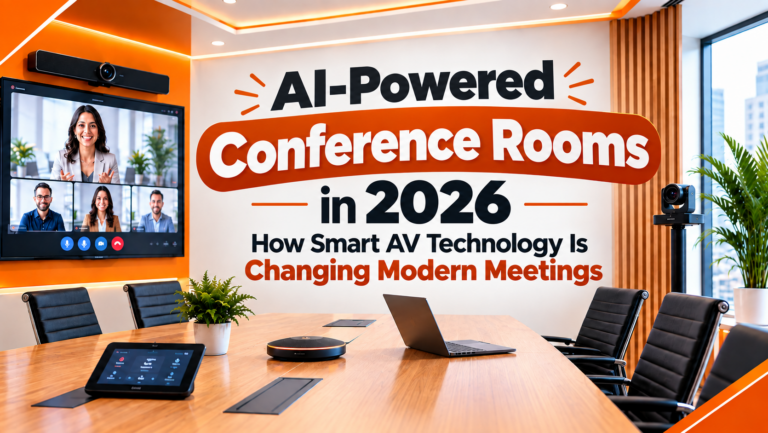
Meetings have changed a lot in the last few years. Some of your team is sitting in the room, some are joining from home, and some are dialling in from another city altogether. A conference room built for people sitting around one table doesn’t really work well for that kind of mix anymore.
That’s the gap AI-powered conference rooms are quietly filling. In 2026, it’s becoming pretty normal to walk into a meeting room where the camera finds you on its own, the microphone cleans up background noise without anyone touching a setting, and the screen just works the moment you plug in. Nothing dramatic — it just works, and that’s really the whole point.
What Is an AI-Powered Conference Room?
Strip away the buzzword and it’s a simple idea: audio-visual equipment with enough intelligence built in to look after itself, instead of needing a person to keep adjusting it.
In a normal room, someone still has to zoom the camera in on whoever is talking, ask the person near the door to speak up, or fumble with an HDMI cable before a presentation shows up on screen. In an AI-powered room, most of this is handled automatically. A few things it can typically take care of on its own:
- Framing the camera around the people actually in the room
- Following the conversation and turning toward whoever is speaking
- Cutting down background noise and sharpening voices
- Switching between camera angles when there are multiple speakers
- Letting people share their screen without hunting for a cable
- Recording the meeting and, in many setups, transcribing it too
- Controlling the lights, blinds or display from one simple panel
None of this is about cramming more technology into a room for the sake of it. The point is to get the technology out of the way, so people can focus on the conversation instead of the equipment.
The Technology Actually Doing the Work
A handful of tools are behind most of the improvement you’ll notice in a smart meeting room.
1. Cameras that frame themselves Older conference cameras stay locked on one wide shot of the room, whether one person is speaking or five. Newer AI cameras can spot the people in the room and adjust the frame around them, and many can follow whoever’s talking. In a bigger boardroom, where people sit at very different distances from the camera, this makes a real difference. PTZ cameras with auto-focus and wide-angle coverage handle this well in most office setups.
2. Audio that filters out the noise Video gets all the attention, but audio usually decides whether a meeting feels professional or not. AI microphones use techniques like beamforming to lock onto a voice and quiet down everything around it — the air conditioner humming, someone typing, chairs scraping. The result: remote participants hear people clearly instead of straining to catch every second word.
3. Speaker tracking This is closely tied to the camera point above, but it deserves its own mention because it changes how a meeting feels for someone joining remotely. Instead of staring at a static wide shot and guessing who’s talking, the camera actually turns toward the current speaker. It’s a small thing, but it makes remote attendees feel like they’re actually in the room.
4. Wireless presentation Nobody enjoys watching a colleague dig through a bag for the right adapter while everyone waits. Wireless sharing lets anyone put their screen up on the main display straight from their own laptop or phone, no cable required. Paired with a large display, it turns a meeting room into something far more flexible than a table and a projector.
5. AI meeting assistance This is the newest layer, and it goes beyond cameras and mics entirely. Depending on the platform, a smart room can transcribe the discussion, summarise what was decided, and even pull out action items automatically — so nobody’s relying purely on memory or handwritten notes afterward. Worth noting: before switching this on, it’s worth checking how the platform handles that data, and whether it fits your company’s privacy policy.
Old Room vs. AI-Powered Room — A Quick Comparison
| What Happens | Traditional Room | AI-Powered Room |
|---|---|---|
| Camera framing | Fixed wide shot, someone has to zoom manually | Frames people automatically, follows the speaker |
| Background noise | Picked up along with everyone’s voice | Filtered out in real time before it reaches the call |
| Sharing your screen | Depends on finding the right cable or dongle | Wireless, works from most laptops and phones |
| Meeting notes | Whoever remembers to type them | Transcribed and summarised automatically |
| Remote participant experience | Often feels distant, hard to follow who’s talking | Closer to being in the room |
| Day-to-day operation | Needs someone comfortable adjusting equipment | Mostly runs itself once set up correctly |
A rough comparison — the exact gap depends on the equipment and how the room is set up.
Why More Businesses Are Making the Switch
- Conversations are easier to follow — when people can hear each other clearly and see who’s speaking, meetings simply move faster. Fewer “sorry, can you repeat that?” moments.
- Hybrid meetings stop feeling like an afterthought — remote colleagues get a much better view of the room and a clearer sense of what’s going on, instead of a fuzzy wide-angle shot from the back wall.
- Less fiddling with equipment — automated cameras and audio mean fewer moments where a meeting stalls while someone figures out why the mic isn’t working.
- Presentations look the part — good displays, projectors and audio together make even a routine internal presentation feel more polished.
- Room to work however people need to — wireless sharing and a properly integrated AV system mean the room isn’t locked into one brand of laptop or one video platform.
What Actually Goes Into a Modern Conference Room?
A good AI-ready setup isn’t just a fancy camera bolted onto an old projector. The whole room needs to be planned around its size, purpose, and how people actually use it. A well thought-out setup usually includes:
- AI-enabled or 4K PTZ cameras
- Professional-grade microphones
- Speakers built for the size of the room
- A large display or projector suited to the space
- A reliable video conferencing system
- Wireless presentation hardware
- A digital podium or a simple central control panel
- Proper cabling and connectivity behind the scenes
- Some thought given to the room’s acoustics
Modern Cine Sound puts together exactly this kind of setup — audio-video conferencing systems, projectors, digital panels, PTZ cameras, microphones and the rest of the AV equipment a professional room needs.
Planning an AI-Ready Room, Step by Step
Before ordering any equipment, it helps to think through a few basics. These are the same questions we walk clients through before any installation.
- Room size and layout — A four-seat huddle room and a fifty-seat boardroom have almost nothing in common when it comes to equipment. Camera coverage, mic placement, display size and speaker position all need to match the actual room, not a generic package.
- Audio quality — Even the sharpest camera can’t make up for muffled audio. Microphone placement, echo control and the right speakers need attention right from the planning stage, not as an afterthought once the room is already built.
- Display requirements — The right display or projector depends on how far people sit from it, how bright the room gets, and what kind of content usually gets shown — spreadsheets need something different from video walkthroughs.
- Connectivity — The system needs to work smoothly with whatever devices and meeting platforms your team actually uses day to day, with connectivity that doesn’t drop out halfway through a call.
- Room for growth — Collaboration technology keeps moving. Choosing equipment that can be added to later, rather than replaced entirely, saves money and disruption down the line.
Come, See It Working Before You Decide
Reading about auto-framing cameras and noise-cancelling mics is one thing. Actually watching a camera turn toward you mid-sentence, or hearing how quiet a “noisy” room can sound on the other end of a call, is a different thing entirely. So instead of asking you to take our word for it, we’d rather have you test it.
- Visit our setup in Patna — walk in, sit through a real demo call, and see the cameras and mics respond in person.
- Or call us to arrange a demo at your office — we can bring sample equipment to your existing conference room so you can compare it against what you have today.
- Ask us anything before you commit — room size, budget, existing equipment, whatever you’re unsure about. We’d rather answer it upfront than after installation.
 Call to book a test demo: +91 9334143034 / 8877666291
Where All This Is Heading
None of this technology means much on its own. A great camera paired with a weak microphone is still a frustrating call, and the best display in the world doesn’t help if wireless sharing keeps failing. The rooms that actually work well in 2026 are the ones where the camera, audio, display, network and software are all planned together as one system, not bought piece by piece and hoped into working.
The shift happening right now isn’t really about adding more gadgets to a meeting room. It’s about treating the room itself as a proper piece of infrastructure — something a business plans for, invests in once, and doesn’t have to think about again for years.
Final Thoughts
A conference room doesn’t need to feel like a pile of separate devices anymore. With the right cameras, microphones, displays and a bit of automation working together, it can just quietly do its job — clearer conversations, easier hybrid meetings, and a lot less fumbling with cables and settings.
If you’re planning a new conference room, or thinking about upgrading one that’s starting to feel outdated, the right setup really comes down to your room, your workflow and where your business is headed next. That’s exactly the kind of planning we help with.
Looking to upgrade your conference room with modern AV technology?
Modern Cine Sound offers professional audio-visual solutions for corporate meetings, smart spaces and other professional environments, along with installation and technical support.
- Modern Cine Sound Service : Rajlaxmi, 1st Lane, Pirmohani, Opposite Uma Cinema, Patna – 800003, Bihar
- Website: moderncinesound.in